


Table of Contents
- What Are AI Tools for Students?
- Why Students Are Using AI in 2026
- Best Free AI Tools for Students in 2026
- ChatGPT
- Google Gemini
- Perplexity
- Canva
- Grammarly
- NotebookLM
- Microsoft Copilot
- QuillBot
- Wolfram Alpha
- How to Choose the Right AI Tool
- How Students Can Use AI Responsibly
- Practical AI Prompts for Students
- Best AI Tool for Each Student Need
- Frequently Asked Questions
- Conclusion
What Are AI Tools for Students?
Artificial intelligence has become an important part of modern education. Students can now use AI-powered tools to understand difficult subjects, organize notes, improve their writing, conduct research, prepare for exams, and create presentations.
The best free AI tools for students in 2026 are not simply tools that produce answers. The most useful tools help students understand information and become more productive while studying.
For example, instead of asking an AI tool to complete an assignment, a student can ask it to explain a difficult concept, create practice questions, or identify mistakes in an answer.
This makes AI more useful as a learning assistant rather than a replacement for studying.
Why Students Are Using AI in 2026
Students have different learning styles and different academic challenges. Some students struggle with mathematics, while others have difficulty writing essays or understanding complex scientific concepts.
AI tools can provide personalized assistance in many of these situations.
A student can ask an AI assistant to explain the same topic several different ways until the concept becomes clear. Another student can use AI to turn long notes into practice questions before an examination.
AI can also save time on repetitive tasks, allowing students to spend more time understanding their subjects.
However, there is an important limitation: AI can sometimes provide incorrect or incomplete information. Students should therefore verify important information using textbooks, teachers, academic sources, and official websites.
Best Free AI Tools for Students in 2026
There are hundreds of AI tools available today, but students do not need to use all of them.
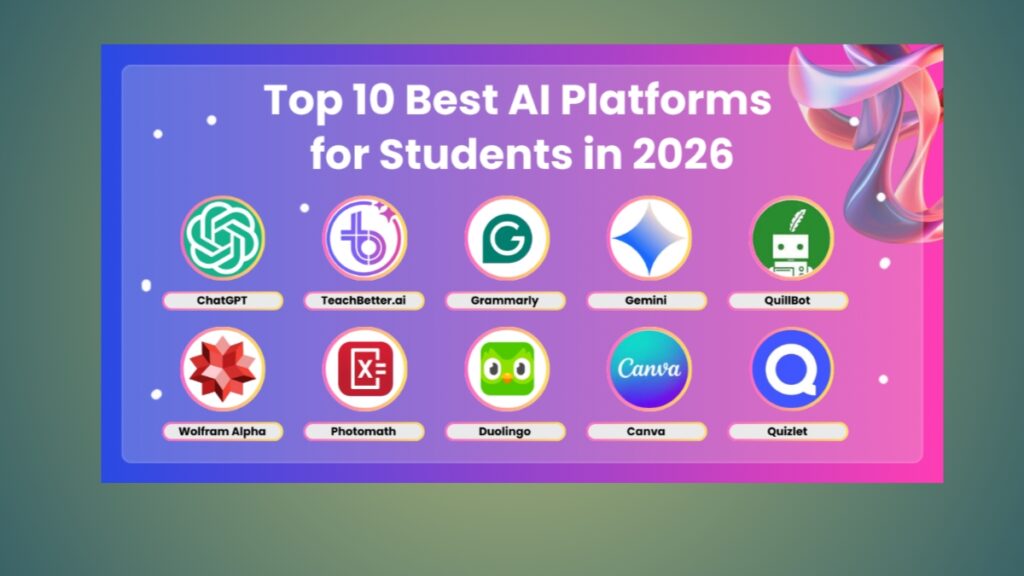
The following tools cover some of the most common student needs, including studying, research, writing, presentations, mathematics, and productivity.
1. ChatGPT
ChatGPT is one of the most flexible AI tools available to students.
Students can use it to explain difficult subjects, generate practice questions, create study plans, brainstorm ideas, summarize information, and prepare for exams.
One of the most useful approaches is asking ChatGPT to teach rather than simply provide an answer.
For example, instead of saying:
“Give me the answer to this question.”
A student could ask:
“Explain how to solve this problem step by step and let me try each part myself.”
This approach encourages active learning.
Example Uses of ChatGPT
- Explain difficult topics in simple language
- Create revision questions
- Build an exam study plan
- Explain mathematical concepts
- Summarize study notes
- Practice foreign languages
- Brainstorm essay ideas
- Check writing for clarity
ChatGPT also has Study Mode, which is designed to support step-by-step learning rather than simply providing answers.
Best for: General studying, explanations, practice, and exam preparation.
External Link: https://chatgpt.com/
2. Google Gemini
Google Gemini is another useful AI assistant for students.
It can help with brainstorming, explanations, writing, research, and general learning tasks.
Students who already use Google products may find Gemini particularly convenient.
For example, a student studying history could ask Gemini to explain the causes of an important historical event and then generate questions for revision.
Example Prompt
“Explain the main causes of World War I in simple language. Then create 10 multiple-choice questions based on the explanation.”
The student can answer the questions without looking at the answers and use the results to identify areas that need more study.
Best for: Learning, brainstorming, research assistance, and general productivity.
External Link: https://gemini.google.com/
3. Perplexity
Perplexity is particularly useful for research.
Instead of functioning only as a traditional chatbot, Perplexity is designed around AI-powered search and commonly provides sources related to its answers.
This can make it useful when students are beginning research on an unfamiliar topic.
For example, if a student wants to understand renewable energy, Perplexity can help identify important concepts and sources worth investigating.
However, students should not automatically assume that every AI-generated answer or citation is correct.
Always open the original source and check whether it actually supports the information.
Best Uses
- Finding research sources
- Exploring unfamiliar topics
- Comparing information
- Discovering important concepts
- Starting academic research
Best for: Research and finding sources.
External Link: https://www.perplexity.ai/
4. Canva
Canva is useful for students who need to create presentations, posters, infographics, and other visual projects.
A good presentation is not only about having correct information. The information also needs to be organized in a way that is easy to understand.
Canva provides templates and AI-powered features that can help students organize and present information.
For example, a student preparing a presentation about climate change can create slides containing:
- The definition of climate change
- Main causes
- Environmental effects
- Economic effects
- Possible solutions
- Sources
The student can then customize the design and make sure that the information is accurate.
Best for: Presentations, posters, visual assignments, and infographics.
External Link: https://www.canva.com/
5. Grammarly
Grammarly is useful for students who want to improve their English writing.
It can help identify problems involving grammar, spelling, punctuation, sentence structure, and clarity.
This can be especially useful for students writing essays, reports, applications, or professional emails.
For example, after writing an essay, a student can review Grammarly’s suggestions and decide which changes actually improve the writing.
The important thing is to understand the corrections rather than accepting every suggestion automatically.
Best for: Grammar, spelling, clarity, and English writing.
External Link: https://www.grammarly.com/
6. NotebookLM
NotebookLM can be useful when students have a large amount of study material.
Students may have lecture notes, PDFs, research papers, or other documents that they need to understand before an exam.
Instead of simply asking for a generic summary, students can use their own study materials as the basis for questions and explanations.
Example
Imagine a student has 60 pages of lecture notes.
The student could ask:
“Create 20 revision questions based on these notes.”
The student can then answer the questions independently and use the results to identify weak areas.
This makes the tool useful for active revision.
Best for: Notes, PDFs, study materials, and revision.
External Link: https://notebooklm.google.com/
7. Microsoft Copilot
Microsoft Copilot can help students with productivity, brainstorming, writing, and general information tasks.
Students who already use Microsoft products may find it useful as part of their existing workflow.
For example, a student preparing a presentation can use AI to brainstorm possible sections and then create the final presentation using their own research.
The important distinction is between using AI to generate ideas and allowing AI to complete the entire assignment.
Best for: Productivity, brainstorming, and Microsoft users.
External Link: https://copilot.microsoft.com/
8. QuillBot
QuillBot is known for writing assistance and paraphrasing.
Students can use it to explore different ways of expressing an idea and improve sentence clarity.
However, paraphrasing should be used responsibly.
Simply replacing words in another person’s work does not make the content original. Students should understand the source, write in their own voice, and provide citations when required.
Good Use
Write your own paragraph first and use QuillBot to identify alternative wording.
Bad Use
Copy an entire article and use a paraphrasing tool to disguise the copied content.
Best for: Writing improvement and controlled paraphrasing.
External Link: https://quillbot.com/
9. Wolfram Alpha
Wolfram Alpha can be especially useful for students studying mathematics, statistics, science, and other quantitative subjects.
It can help with calculations and mathematical problems.
However, students should avoid using it simply to obtain final answers.
A better method is to attempt the problem first and then use the tool to check the calculation or understand where an error occurred.
Example Study Method
- Read the problem.
- Attempt to solve it yourself.
- Check your answer.
- Identify any mistake.
- Solve another similar problem without assistance.
This turns an AI tool into a learning resource.
Best for: Mathematics, calculations, statistics, and science.
External Link: https://www.wolframalpha.com/
How to Choose the Right AI Tool
There is no single AI tool that is perfect for every student.
Your choice should depend on what you are trying to accomplish.
If You Need Help Understanding a Subject
ChatGPT or Google Gemini can explain concepts in different ways and create practice questions.
If You Need Academic Research
Perplexity can help you discover information and sources.
Always verify important claims using the original sources.
If You Need a Presentation
Canva is a practical choice for visual projects and presentations.
If You Need Better English Writing
Grammarly can help identify grammar and clarity problems.
If You Have Long Study Documents
NotebookLM can help you work with notes and other study materials.
If You Study Mathematics
Wolfram Alpha can help with calculations and checking mathematical work.
How Students Can Use AI Responsibly
AI can make studying easier, but using it incorrectly can create serious academic problems.
The biggest mistake is allowing AI to do all the thinking.
If a student copies an AI-generated answer into an assignment without understanding it, the student may finish the assignment but fail to learn the subject.
A better method is:
Learn → Practice → Check → Improve
For example:
- Read your textbook or lecture notes.
- Try to solve the problem yourself.
- Ask AI for help when you become stuck.
- Compare the explanation with your work.
- Correct your mistakes.
- Try another similar problem without AI.
This approach makes AI a study partner instead of a shortcut.
Students should also follow the AI policies established by their school, university, teacher, or instructor.
Some institutions allow AI for brainstorming or editing but prohibit submitting AI-generated work as original academic work.
Practical AI Prompts for Students
The quality of your results often depends on the quality of your prompt.
Here are some useful examples.
Prompt for Understanding
“Explain [TOPIC] in simple language. Give me three real-world examples and then test my understanding with five questions.”
Prompt for Exam Preparation
“I have an exam about [SUBJECT] in seven days. Create a realistic study plan that covers the most important topics.”
Prompt for Active Learning
“Do not give me the final answer immediately. Ask me questions and guide me through the problem step by step.”
Prompt for Writing
“Check this paragraph for grammar, spelling, and clarity. Keep my original meaning and explain the most important corrections.”
Prompt for Mathematics
“Help me solve this problem step by step. Explain why each step is necessary instead of only giving me the final answer.”
Prompt for Revision
“Turn these study notes into 20 questions. Do not show the answers until I attempt them.”
Best AI Tool for Each Student Need
| Student Need | Recommended AI Tool |
|---|---|
| General studying | ChatGPT |
| Step-by-step learning | ChatGPT Study Mode |
| Research | Perplexity |
| Presentations | Canva |
| Grammar | Grammarly |
| Notes and PDFs | NotebookLM |
| Productivity | Microsoft Copilot |
| Writing assistance | QuillBot |
| Mathematics | Wolfram Alpha |
| Brainstorming | ChatGPT or Gemini |
How AI Can Save Students Time
One of the biggest benefits of AI is reducing time spent on repetitive tasks.
For example, a student might spend an hour turning notes into revision questions manually.
An AI tool can help generate an initial set of questions in a much shorter time.
The student can then spend the saved time actually answering those questions.
The same principle applies to presentations, brainstorming, explanations, and study planning.
AI should therefore reduce unnecessary work while preserving the parts of learning that require human thinking.
Common Mistakes Students Should Avoid
1. Copying AI Answers Without Understanding Them
An answer is not useful if you cannot explain it yourself.
2. Trusting AI Completely
AI can make factual errors, misunderstand questions, or provide outdated information.
3. Using AI to Cheat
Submitting AI-generated work as your own can violate academic rules.
4. Using Too Many Tools
You do not need ten AI applications open at the same time.
Choose a small number of tools that solve your actual problems.
5. Ignoring Original Sources
When researching academic information, go back to the original source whenever possible.
Frequently Asked Questions
What are the best free AI tools for students in 2026?
Some of the most useful options include ChatGPT, Google Gemini, Perplexity, Canva, Grammarly, NotebookLM, Microsoft Copilot, QuillBot, and Wolfram Alpha. The best choice depends on the student’s specific needs.
What is the best AI tool for studying?
ChatGPT is a strong general-purpose option because it can explain concepts, create practice questions, help organize study plans, and support interactive learning.
What is the best AI tool for research?
Perplexity is useful for discovering information and sources. Students should still verify important information against the original sources.
Can AI help students prepare for exams?
Yes. Students can use AI to create study schedules, practice questions, quizzes, explanations, and revision materials.
Can students use AI to write essays?
That depends on the rules of the student’s school or university. Students should check their instructor’s AI policy before using AI for academic assignments.
Is it safe to use free AI tools?
Students should avoid sharing passwords, private documents, financial information, or other sensitive personal information with AI services. They should also review the privacy policies of services they use.
Can AI replace teachers?
No. AI can provide explanations and practice, but it can make mistakes and does not replace teachers, course materials, or human academic guidance.
Which AI tool is best for mathematics?
Wolfram Alpha can be useful for calculations and mathematical problems, while ChatGPT can help explain the reasoning behind a solution.
Which AI tool is best for presentations?
Canva is a practical choice for creating presentations, posters, and infographics.
How should students use AI without becoming dependent on it?
Try the problem yourself first. Use AI when you are stuck, compare its explanation with your work, and then solve a similar problem without AI.
Conclusion
The best free AI tools for students in 2026 can make learning more efficient, organized, and interactive.
ChatGPT can help explain difficult subjects and create practice questions. Google Gemini can support general learning and brainstorming. Perplexity can help with research, while Canva is useful for presentations and visual projects. Grammarly can improve writing, NotebookLM can help students study their own documents, and Wolfram Alpha can assist with mathematics.
But the tool itself is not the most important part.
The most important thing is how you use it.
Students who use AI to avoid thinking may become dependent on it. Students who use AI to understand concepts, practice skills, check mistakes, and explore ideas can turn it into a powerful learning assistant.
The goal should not be to study less.
The goal should be to study smarter while still doing the thinking yourself.
If you are a student in 2026, start with one or two AI tools that match your needs. Learn how to use them properly, verify important information, and always follow your school’s academic rules.
Recommended Internal Links for RiseSom:
- What Is Artificial Intelligence?
- Best AI Tools in 2026
- How to Make Money With AI in 2026
- 5G Technology: Everything You Need to Know
Recommended External Links:
- https://chatgpt.com/
- https://gemini.google.com/
- https://www.perplexity.ai/
- https://www.canva.com/
- https://www.grammarly.com/
- https://notebooklm.google.com/
- https://copilot.microsoft.com/
- https://quillbot.com/
- https://www.wolframalpha.com/


RiseSom is an online media platform sharing quality content on technology, business, finance, sports, travel, and global trends. We are committed to providing reliable, informative, and reader-friendly articles.